Worlds and layouts
Doors
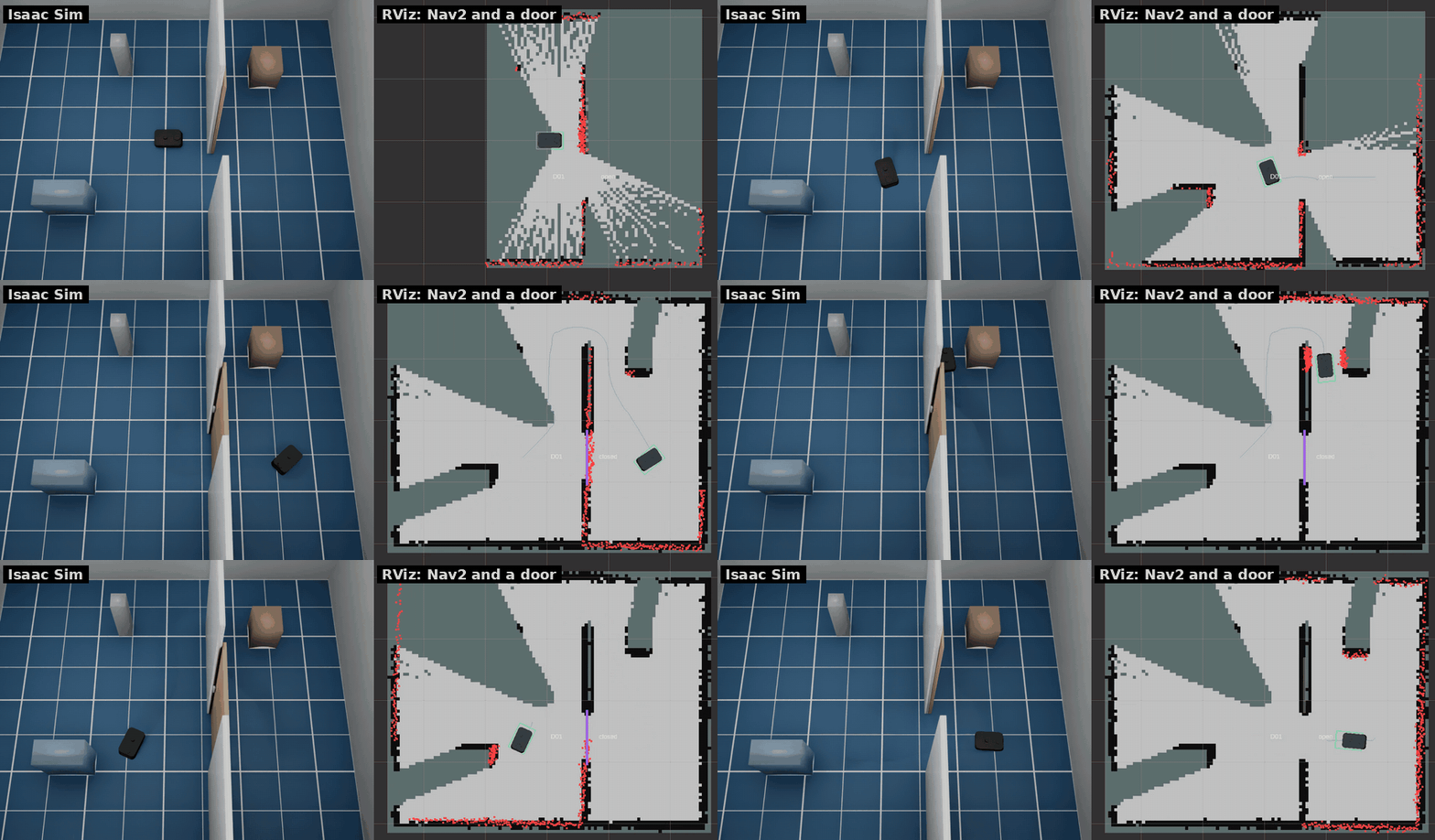
--door X Y YAW puts a door into a doorway centred at (X, Y); the doorway
runs along YAW (x along the wall). The doorway's walls are separate:
--wall X0 Y0 X1 Y1 adds a wall segment (both repeatable). A door is a
kinematic panel: the LiDAR sees it, Nav2 marks it in the costmap and plans
round it while it is closed, and it pushes whatever stands in its way (no
safety sensor stops it).
--door-kind sliding|hinged(door.kind): a sliding panel runs along the wall, a hinged one swings 90° about the doorway's −x side.--door-width(0.8 m),--door-closed(start closed),--door-cycle OPEN_S CLOSED_S(open and close on a fixed cycle until the first command). Speeds, thickness and height are indoorinconfig/robot.yaml.- Doors are named D01, D02, ... in the order given.
sim/doors/<id>/set_open(std_srvs/SetBool) opens or closes one;sim/doors(latched JSON) lists each door'sid,kind,pose(map frame),width,state(open, closed, opening, closing),opening(0-1),cyclingandpanel(poseof the panel's centre in the map frame andsize[length, thickness, height]). It is sent when a state changes and every 0.1 s while a panel moves.sim/resetputs the doors back to their start state. - RViz draws the panels from
/door_markers(MarkerArray, published bydoor_markersfromsim/doors): violet closed, yellow opening or closing, faint grey open, with the id and state (RViz colours).
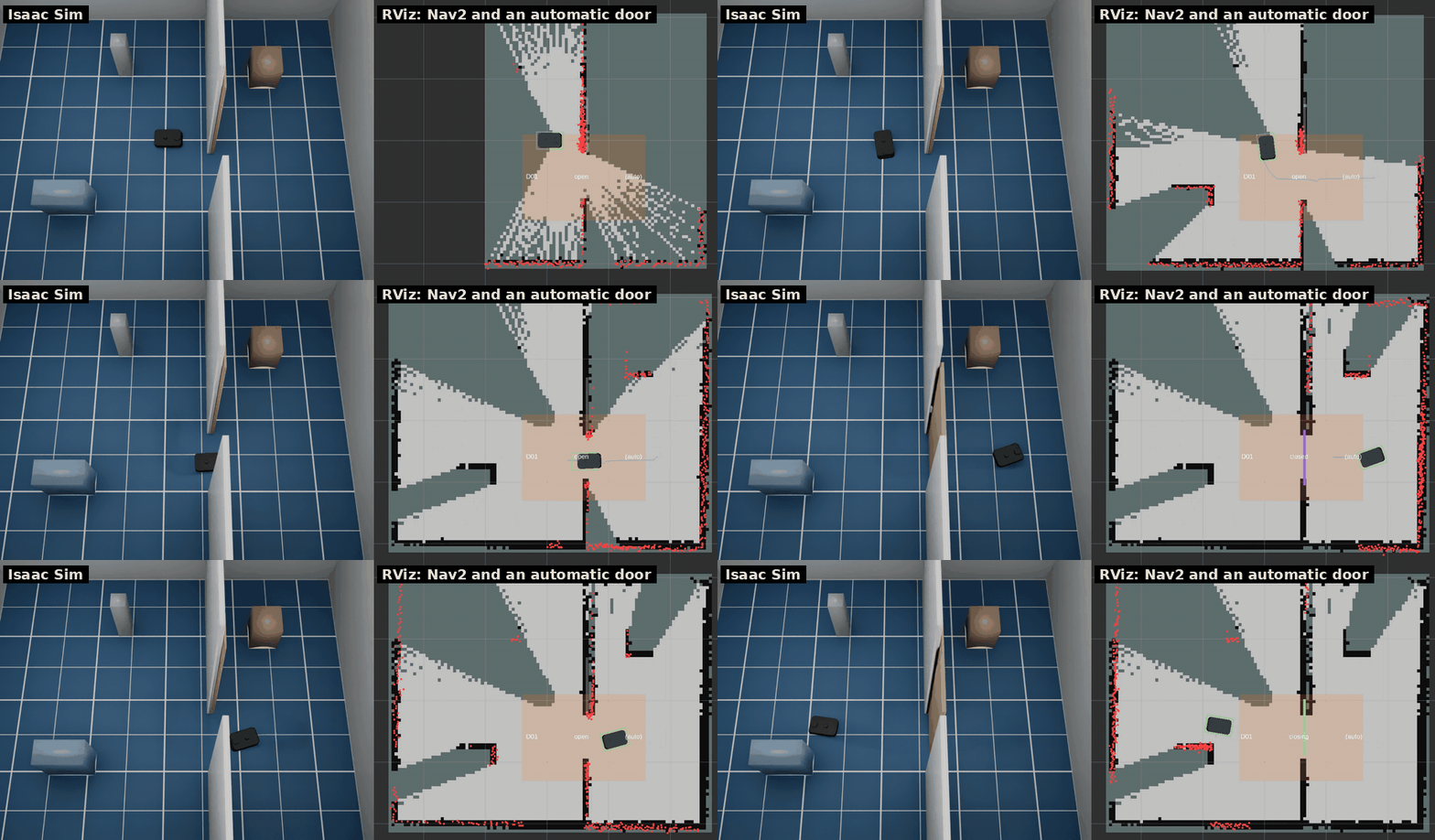
Automatic doors (#63) open by themselves, as in many offices, shops and hospitals:
auto: true on a layout door, or --door-auto for the --door doors. An automatic
door is a sliding door with a sensor area on both sides of the doorway: a rectangle
width + 2 * margin along the wall and range deep on each side. The door opens while
the robot (ground truth) or a moving person or box (Moving people and boxes)
is in the area, stays open for hold s after the area clears, and opens again if
something comes in while it is closing.
- Settings are in
door.autoinconfig/robot.yaml:range1.0 m,margin0.3 m,hold2.0 s (real door sensors, microwave or infrared, differ by product; these are assumed) andmovers(true: moving people and boxes open it too). A layout door can override them:auto: {range: 1.5, hold: 3.0, movers: false}. - An automatic door can't be hinged or have a
cycle. sim/doors/<id>/set_openstill forces it open or closed; from then on the sensor is ignored untilsim/reset.sim/doorshasauto(true while the sensor drives the door) and, for an automatic door,sensor(size[along the wall, across] of the area, centred on the doorway).- RViz shows the sensor area as a faint orange rectangle on the floor and adds "(auto)" to the door's label.
- Nav2 sees a closed automatic door as an obstacle like any other door, so it can't
plan through it while it is closed: a goal on the other side of the only doorway can
fail until the robot is near enough for the door to open (not tested). Send the robot up to the door first,
as
tests/ros_auto_door_check.pydoes.
# A wall at x = 0.6 with a door at y = -0.6 and a gap at the north end (layouts/room_door.yaml)
scripts/run_sim.sh --no-shelves --no-people --wall 0.6 -2.0 0.6 -1.0 --wall 0.6 -0.2 0.6 1.2 --door 0.6 -0.6 1.5708
scripts/run_sim.sh --layout layouts/room_door.yaml   # the same
ros2 service call /kachaka/sim/doors/D01/set_open std_srvs/srv/SetBool "{data: false}"
ros2 topic echo /kachaka/sim/doors   # {"doors": [{"id": "D01", "state": "closing", ...}]}
# The same wall without the gap and an automatic door (layouts/room_auto_door.yaml)
scripts/run_sim.sh --layout layouts/room_auto_door.yaml
Elevator
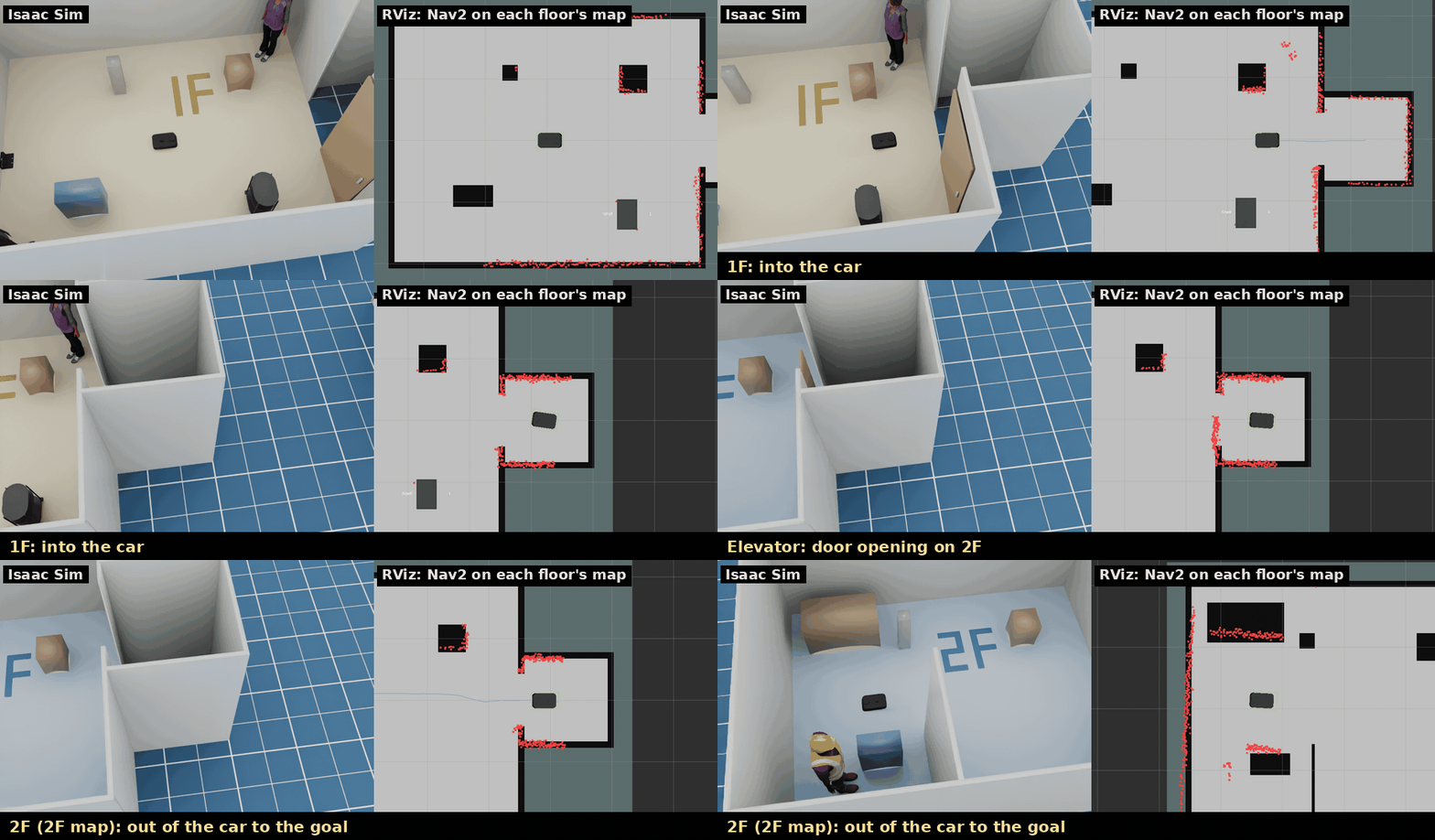
A layout with floors and an elevator builds the room once per floor,
side by side 10 m apart along x (floor k's poses are the first floor's plus
k × 10 m), each with the same elevator car behind a doorway in a wall. The
car has a sliding door on each floor. sim/elevator/go (std_msgs/String,
a floor name) calls the car: the door closes, the car waits ride seconds per
floor, and whatever is in the car (the robot, a shelf) is moved to the other
floor's car; then the door opens there. The odometry does not see the move.
The door reopens while the robot is in the doorway, like a door sensor.
sim/elevator (latched JSON) gives floors, floor (where the car is),
target, state (open, closing, riding, opening), door, robot_floor and
robot_in_car; sim/reset sends the car back to its start floor. Each
floor has its own floor tint and its name written on the floor (visual
only; the sensors do not see them), so a ride shows in the viewport.
python3 scripts/make_maps.py layouts/elevator.yaml   # maps/elevator_1F.yaml, maps/elevator_2F.yaml
scripts/run_sim.sh --layout layouts/elevator.yaml
ros2 launch kachaka_sim_bringup navigation.launch.py map:=/maps/elevator_1F.yaml
ros2 topic pub --once /kachaka/sim/elevator/go std_msgs/msg/String "{data: 2F}"
ros2 topic echo /kachaka/sim/elevator   # {"floor": "2F", "state": "open", "robot_floor": "2F", ...}
Each floor navigates on its own saved map. scripts/make_maps.py draws them
from the layout (walls, the car, standing boxes; doors open). Each floor's
map frame is the spawn pose moved to that floor, so a pose in the car reads
the same on every floor's map. After a ride, load the next floor's map
with the robot's map pose from before the ride (TF map → base_footprint;
/amcl_pose is only sent after 0.25 m or 0.2 rad of motion, so it can lag):
kachaka-api SwitchMap with
initial_pose, or sim/map/load with "pose". command_server loads the
map, gives AMCL the pose and answers once AMCL holds it, heading included
(AMCL starts over on a new map, so an /initialpose sent on its own can be
lost). tests/ros_elevator_check.py
drives into the car on 1F, rides to 2F, switches the map and drives to a goal
on 2F.
How the real Kachaka rides depends on the building's system. In a trial by
Mitsubishi Electric Building Solutions and Preferred Robotics, Kachaka asks
the building's platform (Ville-feuille), which calls the car, registers the
floor and tells Kachaka which car to take and when to board and leave
(press release, 2024-09-28).
At Toda Corporation's TODA BUILDING, Kachaka Pro carries mail between floors
by elevator, through a system Toda built on the public API
(LOGISTICS TODAY, 2026-07-17).
kachaka-api has no elevator calls, so sim/elevator/go is sim-only, and the
car's size (1.4 × 1.4 m), door (0.9 m) and timing are assumed (elevator in
config/robot.yaml).
Stacked floors
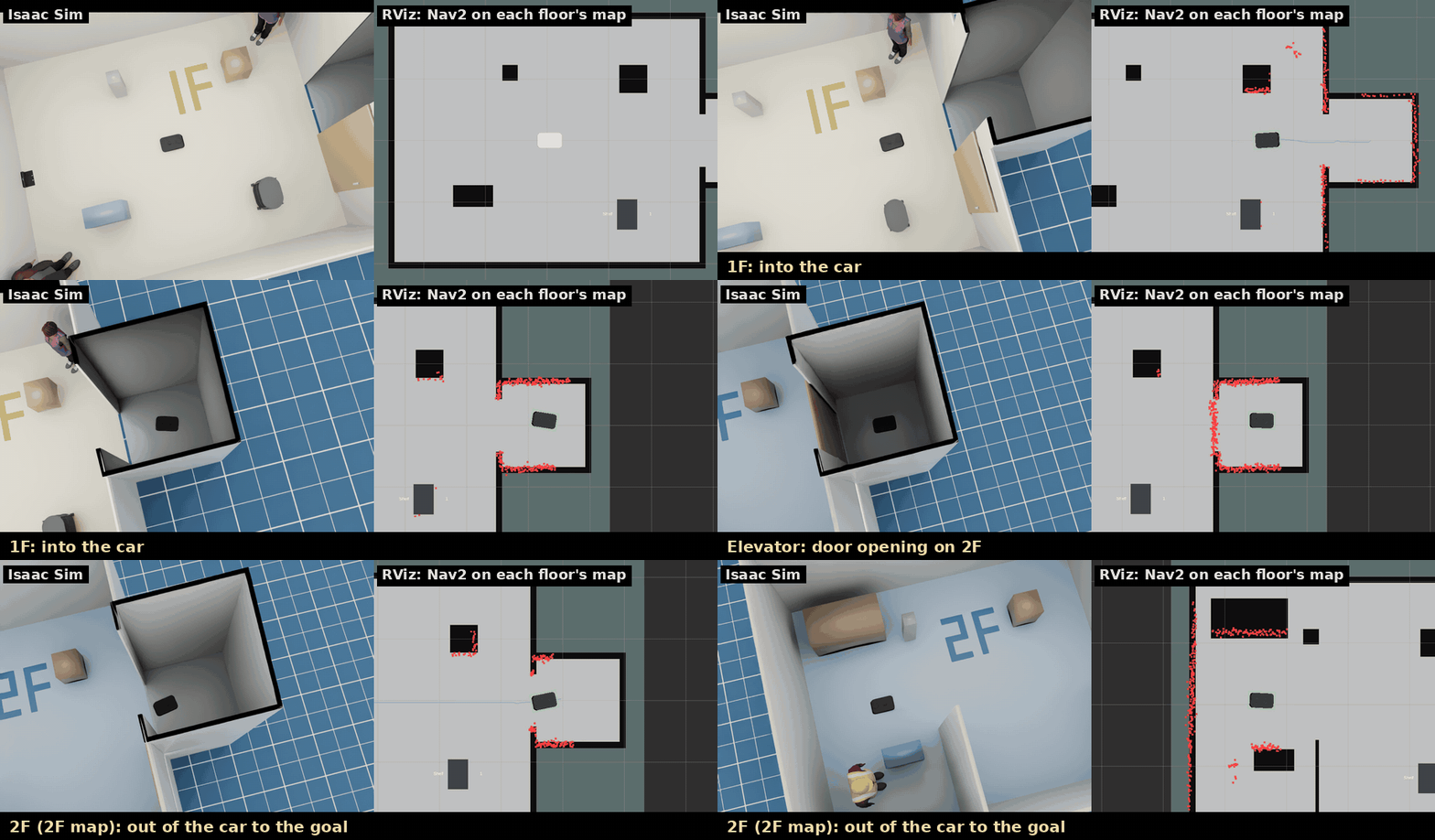
With stack: vertical in the elevator entry the floors stand one above
the other, 3 m apart (assumed), and the car's floor is a platform that
carries the robot (and a shelf) up the shaft during the ride: nothing is
teleported. The layout is written as before (floor k at x + k × 10 m), so
the same saved maps fit, and each floor's map frame is the spawn pose at the
same x, y. sim/elevator adds stack and robot_z (height above the
first floor). Upper floors may not have doors or moving people and boxes,
and the car's yaw must be a multiple of 90°.
python3 scripts/make_maps.py layouts/elevator.yaml
scripts/run_sim.sh --layout layouts/elevator_vertical.yaml
ros2 launch kachaka_sim_bringup navigation.launch.py map:=/maps/elevator_1F.yaml
Layout files
--layout FILE reads a YAML file that says where the robot starts and where
the charger, shelves, locations, people, boxes, walls, doors and drops are, on
top of any world. Examples are in layouts/: room.yaml,
room_door.yaml and room_auto_door.yaml (the door setups above), room_movers.yaml (see
Moving people and boxes), and office.yaml, hospital.yaml,
warehouse.yaml, simple_room.yaml for the Isaac Sim scenes.
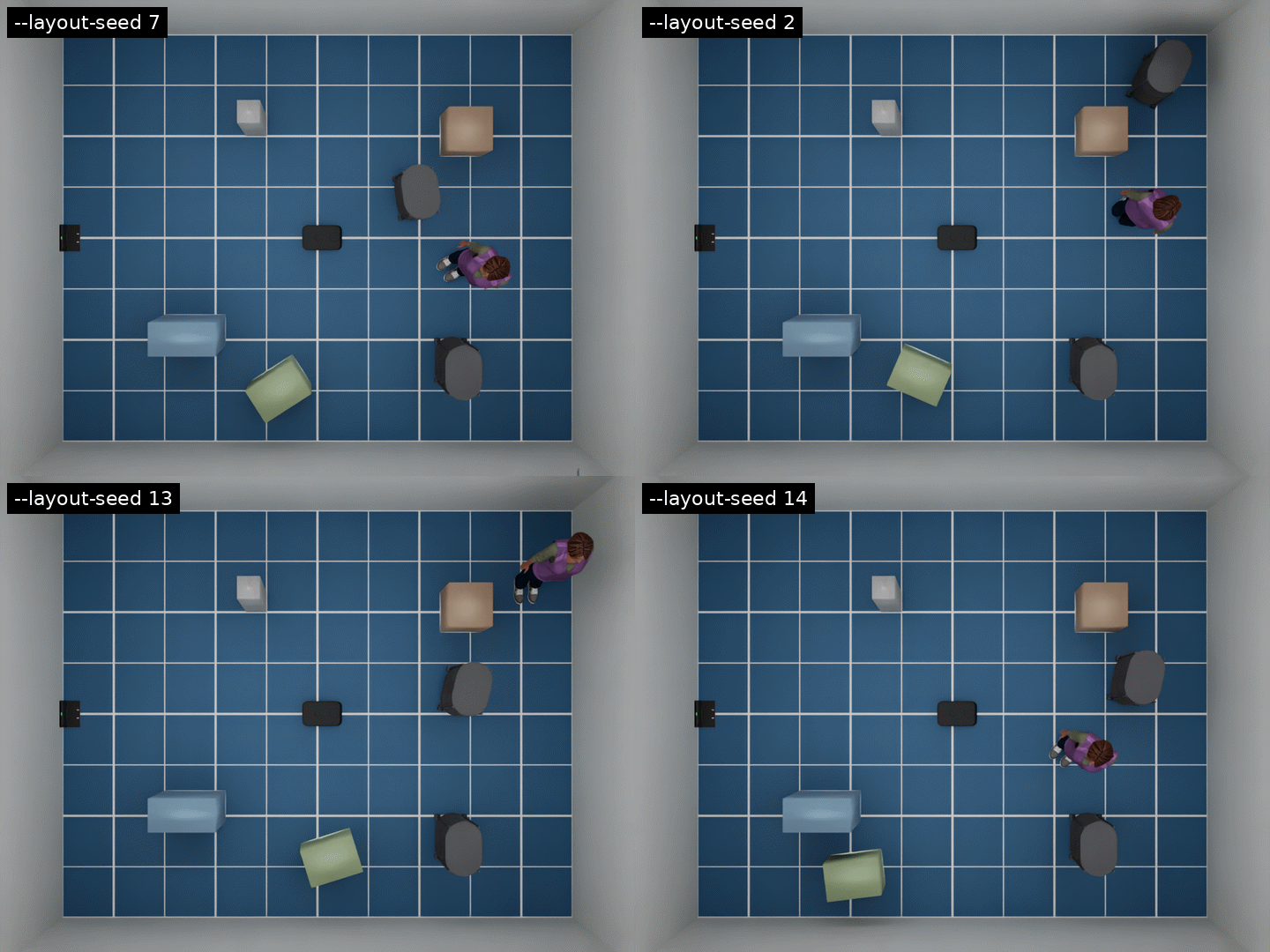
world: room                 # --world overrides it
seed: 7                     # for the ranges below
clearance: 0.15             # m kept between randomised objects (default 0.1)
spawn: [0.0, 0.0, 0.0]      # x, y, yaw (m, rad)
charger: [-2.27, 0.0, 0.0]  # null: no charger
shelves:
  - {id: S01, name: Shelf 1, pose: [1.3, -1.2, 0.0]}
  - {id: S02, name: Shelf 2, pose: [[0.6, 2.0], [0.3, 1.5], [-0.3, 0.3]]}  # ranges
locations:
  - {id: L01, name: Kitchen, pose: [0.5, 1.0, 1.5708]}
people: [[2.0, 1.5, -2.5]]
boxes:
  - {name: crate, pose: [0.2, -1.6, 0.4], size: [0.5, 0.35, 0.45], color: [0.45, 0.55, 0.35]}
walls: [[0.6, -2.0, 0.6, -1.0]]              # x0, y0, x1, y1
doors:
  - {pose: [0.6, -0.6, 1.5708], kind: sliding, width: 0.8, open: true, cycle: [10, 5]}
  - {pose: [0.6, 1.0, 1.5708], auto: true}    # automatic: opens when the robot comes near
drops: [[1.0, 0.0, 0.4, 0.8]]                # x, y, size x, size y
- A key that is left out keeps the world's default (the room has a charger, a
shelf, a location and two people); a key that is given replaces it, so
shelves: []means no shelves andcharger: nullno charger. - Any number in a pose can be a range
[lo, hi], drawn with the seed. A randomised object is drawn again until it keepsclearancefrom the other objects (and, in the room, from its walls).--layout-seed Noverrides the file's seed; with neither, a seed is picked and printed ([kachaka] layout layouts/room.yaml (seed 7)), so a run can be repeated. - Shelves and locations go to kachaka-api (
GetShelves,GetLocations) and the dashboard, soMOVE_TO_LOCATIONand the shelf commands use them. - Command-line options still apply:
--shelf,--charger,--person, the--no-*options and--x/--y/--yawreplace the layout's;--wall,--doorand--dropadd to them. - After the start, the simulator checks each object for overlaps with the
scene and prints
[kachaka] layout warning: ...for one that is placed into a wall or furniture.
scripts/run_sim.sh --layout layouts/room.yaml --layout-seed 3
scripts/run_sim.sh --layout layouts/office.yaml   # also sets --world office
Moving people and boxes
People and boxes in a layout file can move. Each moving one is a kinematic body
moved every physics step, so the LiDAR, the cameras, the ToF camera and object
detection see it where it is. Nothing moves unless a layout asks for it;
layouts/room_movers.yaml is an example.
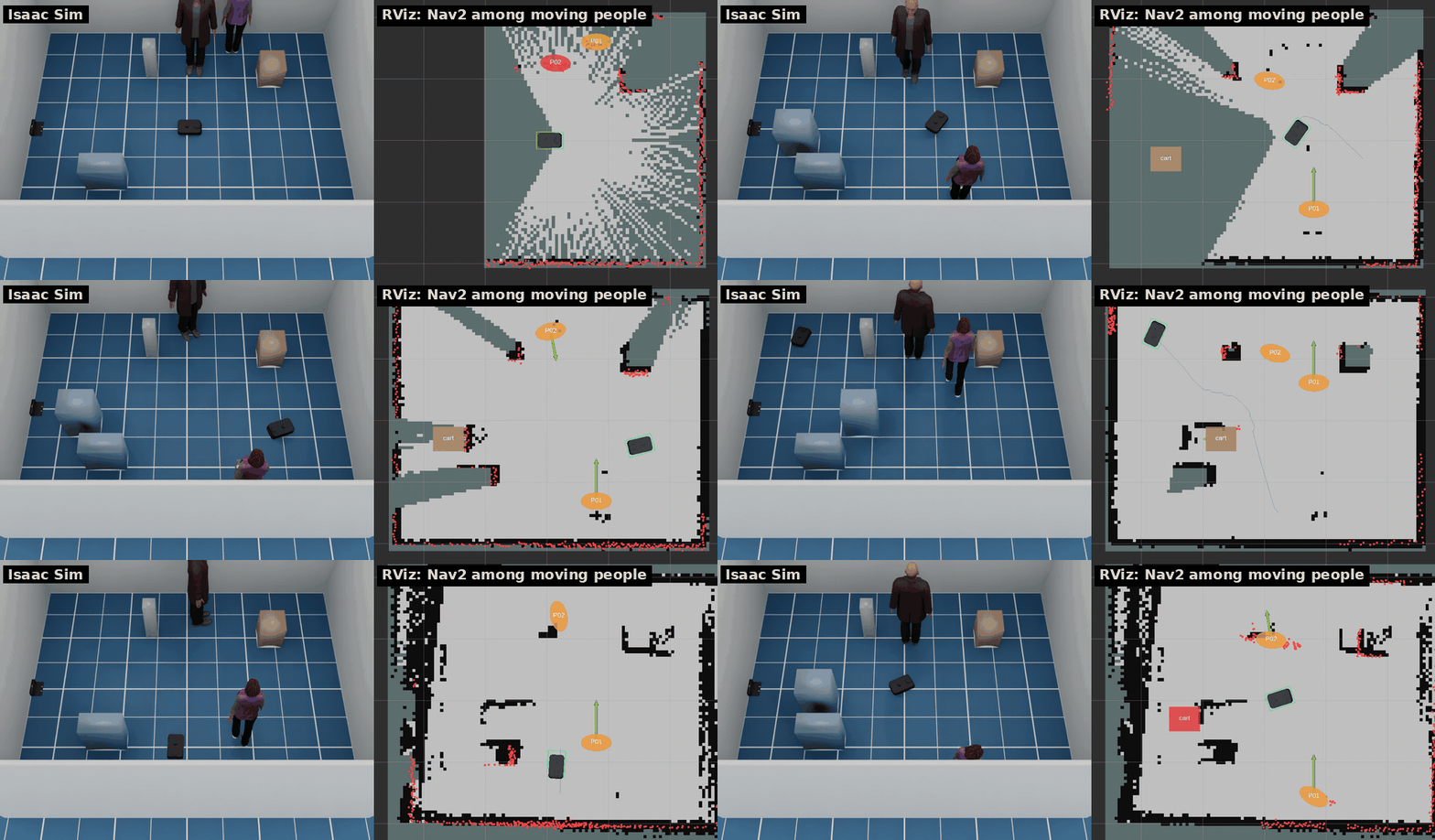
people:
  - {pose: [0.8, -1.6, 1.5708], route: [[0.8, 1.6]], pause: 2.0}   # there and back
  - {pose: [0.0, 1.2, 0.0], wander: [[-0.1, 0.2], [0.6, 1.6]], speed: 0.5}  # x range, y range
boxes:
  - {name: cart, pose: [-1.6, -0.3, 0.0], size: [0.5, 0.4, 0.8],
     route: [[-0.5, -0.3]], speed: 0.3, pause: 3.0, appear: [25, 8]}
route: waypoints walked in turn, then back to the start, over and over.wander: random points inside an area, drawn with the layout's seed. Not both.speed(m/s; defaultmovers.person_speed0.7 andmovers.box_speed0.4 inconfig/robot.yaml),pause(s at each waypoint),appear: [present, away](s; there for a while, then gone, starting at a point of the cycle drawn with the seed).- A mover turns towards its next waypoint, then walks. It waits while the robot
is right in its way, and does not appear on top of the robot. After waiting
movers.give_ways (3) it turns back to its last waypoint, or wanders elsewhere: the robot may be unable to leave with someone so close. Nothing else stops it: the robot has to keep out of its way. - People swing their legs (the leg colliders too) and characters their arms as they walk.
sim/resetputs them back at the start.- Their ground truth is on
sim/movers(simulator only, at the ground truth's 20 Hz): JSON with, for each mover,id,path(USD prim),kind(personorbox),present,pose[x, y, yaw] in the world frame (assim/ground_truth) andmap_posein the map frame (bothnullwhile it is away),velocity[vx, vy] (world frame),radius(footprint),size[x, y, z],blocked(waiting for the robot) andgap(m between its footprint circle and the robot's body); thenclosest, the mover nearest the robot. Doors are not movers: they havesim/doors(Doors). - RViz draws them from
/mover_markers(MarkerArray, published bymover_markersfromsim/movers): a person as an upright cylinder, a box as a box, with its name and an arrow for its velocity; red while it waits.
scripts/run_sim.sh --layout layouts/room_movers.yaml
python3 /tests/ros_nav_check.py --no-collisions   # with SLAM + Nav2: goals, no collisions, closest mover
ros2 topic echo /kachaka/sim/movers   # {"stamp": 12.3, "frame_id": "world", "movers": [...], "closest": {"id": "P01", "gap": 0.41}}
Several robots
--robot X Y YAW, repeated, puts several robots in one world, and
fleet.launch.py runs Nav2 for each of them on a shared map. See
Several robots.