cc-calendar
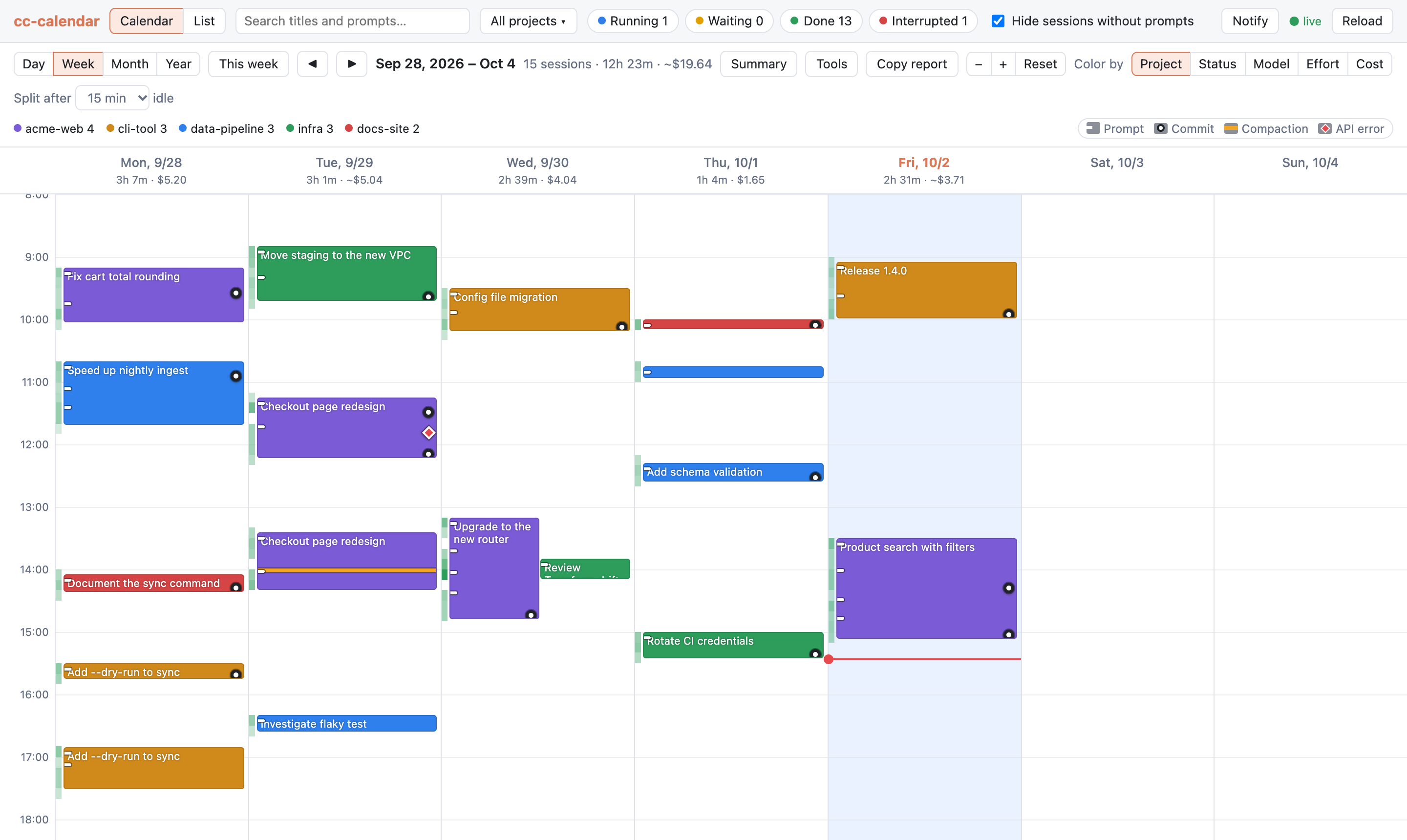
A Google Calendar-style view of your Claude Code sessions.
cc-calendar reads the transcripts Claude Code already writes to ~/.claude/projects/. It shows
when you worked, on what, what it cost and what came out of it: commits, changed files and pull
requests. It runs as a local web UI that updates live while sessions run.
At a glance
-
Calendar of your sessions
Each session is drawn over the periods it was active. Switch between day, week, month and year views.
-
Time and cost
See active time and cost per day and per project, plus cache efficiency and tool usage.
-
From prompt to commit
Each request is listed with the commits that followed it, along with changed files, pull requests and subagents. Every session has a full transcript viewer.
-
Stays on your machine
The server listens only on localhost and reads your logs read-only. It makes no network requests, and the only file it writes holds your session notes.
Quick start
The server opens your browser on a free localhost port. See Getting started for options.
Note
Screenshots on this site show fictional demo data.